SpinLab Autopilot: from a DICOM folder to a BIDS dataset in seconds

Converting scanner DICOM files into a BIDS dataset is usually the slowest part of starting a study: you have to list every series, decide which BIDS name it gets, write a HeuDiConv heuristic, and fix the errors. SpinLab Autopilot does this in seconds. You drop a DICOM folder onto the page, and it reads every series header, works out what each series is, and writes the heuristic.py, the BIDS tree, the conversion command, a protocol report and a matching pipeline. The files are read in your browser and nothing is uploaded.
Step by step
- Open Autopilot at spinlab.mrispin.com/autopilot (it is also the first card on the dashboard).
- Choose a folder, select files, or drag the whole DICOM folder onto the box. To see how it works first, click Try a sample study, which loads an anonymised 7 T research protocol with 18 series.
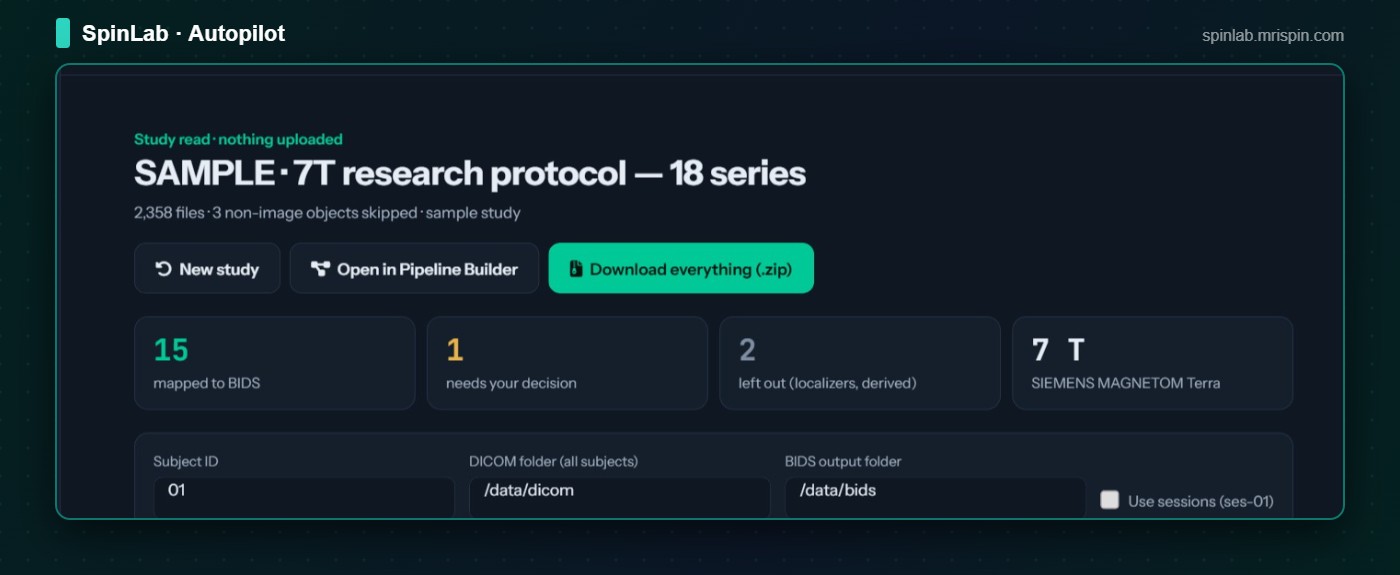
- Wait for the headers to be read. Only headers are read; protocol reports and other non-image files are skipped. In the sample study, 2,358 files are read and 3 non-image objects are skipped.
- Check the summary. Autopilot shows how many series were mapped to BIDS, how many need your decision, and how many were left out (localisers and scanner-derived maps), together with the field strength and scanner model.
- Set the subject, the DICOM folder and the BIDS output folder, and tick Use sessions if your study has more than one visit.
- Review the detected series (next section) and change any type that is wrong. Everything else updates automatically.
- Download everything as a .zip, or open the suggested pipeline in the Pipeline Builder.
What Autopilot detected
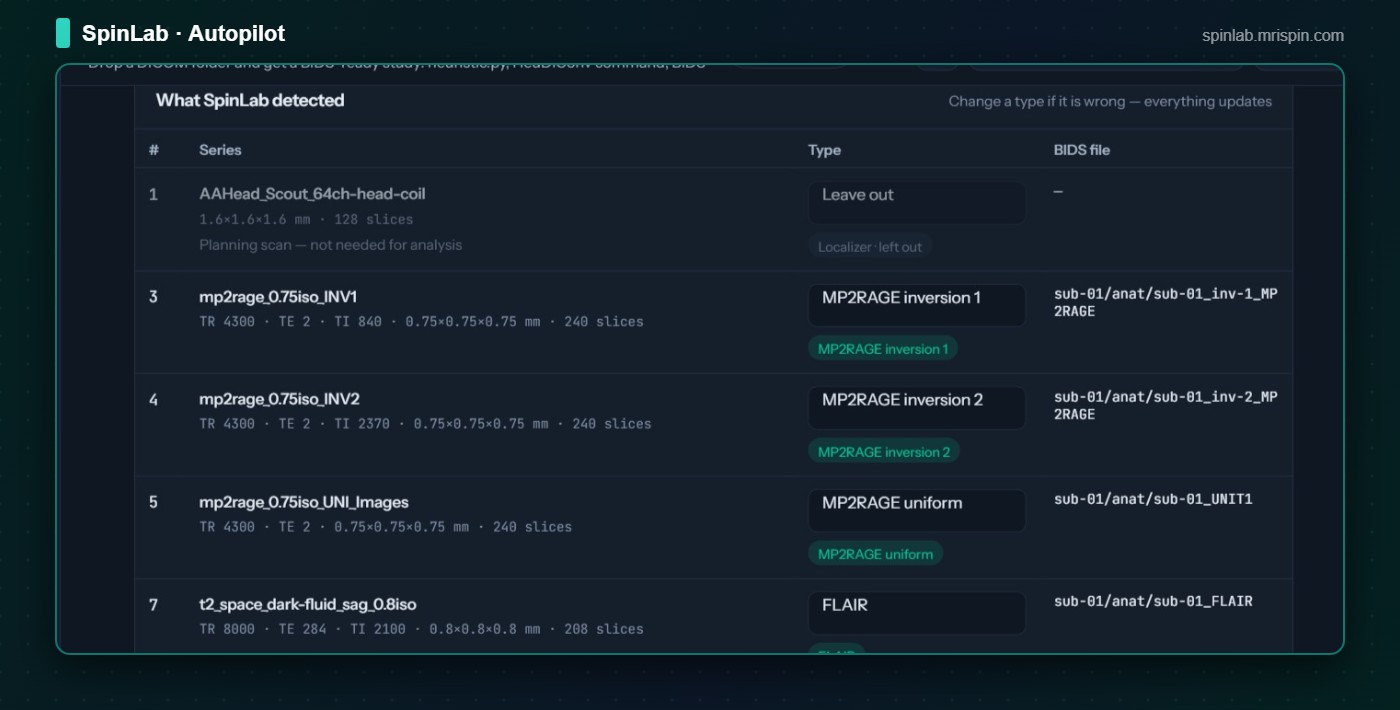
For every series Autopilot shows the series description, the key parameters read from the header (TR, TE, TI, voxel size, slices or volumes, b-values) and the BIDS file it will write. In the 7 T sample study it recognises:
| Series (sample study) | Detected as | BIDS file |
|---|---|---|
| mp2rage_0.75iso_INV1 / INV2 | MP2RAGE inversion 1 and 2 | anat/sub-01_inv-1_MP2RAGE, inv-2_MP2RAGE |
| mp2rage_0.75iso_UNI_Images | MP2RAGE uniform image | anat/sub-01_UNIT1 |
| t2_space_dark-fluid_sag_0.8iso | FLAIR | anat/sub-01_FLAIR |
| cmrr_mbep2d_bold_rest_1.6iso_AP | Resting-state fMRI (300 volumes) | func/sub-01_task-rest_dir-AP_bold |
| cmrr_mbep2d_se_1.6iso_PA | Spin-echo EPI field map | fmap/sub-01_acq-func_dir-PA_epi |
| cmrr_mbep2d_diff_1.5iso_mb3_AP | Diffusion, b = 0/1000/2000 | dwi/sub-01_dir-AP_dwi |
| tgse_pcasl_PLD1800 / tgse_pcasl_M0 | ASL perfusion and M0 calibration | perf/sub-01_asl, perf/sub-01_m0scan |
| gre_field_mapping_2mm | Field map magnitude and phase difference | fmap/sub-01_magnitude, phasediff |
| sodium_radial_TPI_4mm | Sodium (²³Na) | extra_data/sub-01/sub-01_acq-23Na_MRI |
| AAHead_Scout, MoCoSeries | Localiser and scanner-derived series | Left out |
Two details show why this matters. Sodium data has no official BIDS suffix yet, so Autopilot converts it into extra_data/ and lists it in .bidsignore: the validator still passes and nothing is lost. Scanner-derived series such as motion-corrected (MoCo) series, ADC or MIP images are left out, because they should be recomputed from the raw data.
The BIDS tree and the checks
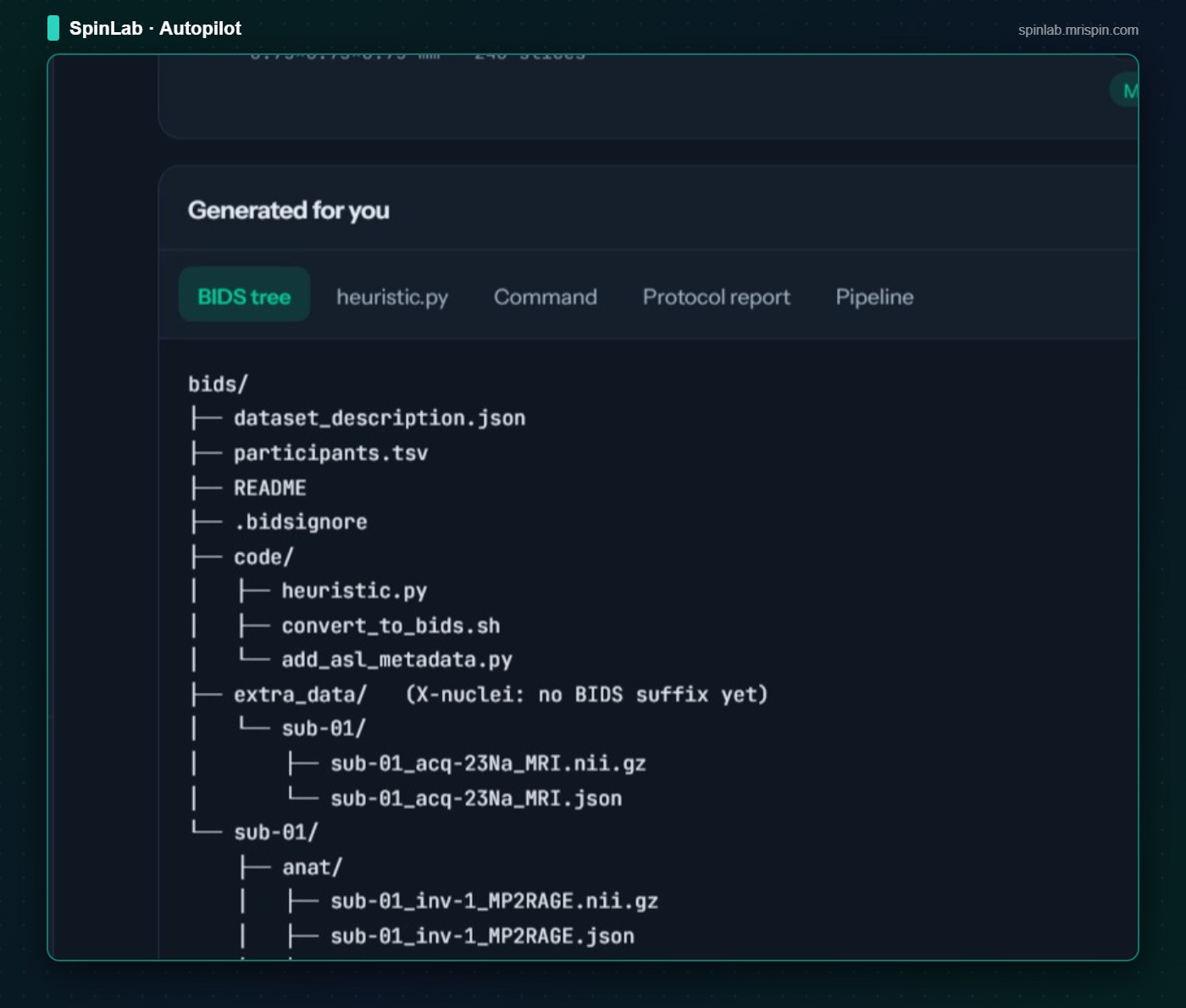
The BIDS tree tab previews the dataset before you convert anything, including dataset_description.json, participants.tsv, a README and a code/ folder that keeps the heuristic and the conversion script with your data. The Checks panel reports findings from the headers, for example:
- the resting-state run lasts 7 min 30 s (TR 1500 ms × 300 volumes);
- the diffusion series is multi-shell (b = 0, 1000 and 2000 s/mm²) with 105 volumes;
- the ASL JSON needs
ArterialSpinLabelingType,PostLabelingDelay,LabelingDurationandBackgroundSuppression, plus anaslcontext.tsv(a template is included in the download).
What you download
| File | Purpose |
|---|---|
| heuristic.py | HeuDiConv rules mapping each series to its BIDS name |
| convert_to_bids.sh | The HeuDiConv command, followed by the BIDS validator |
| add_asl_metadata.py | Adds the required ASL fields to the JSON sidecars |
| Protocol report (CSV) | One row per series with TR, TE, TI, flip angle, voxel size, matrix, volumes, b-values and status |
| Pipeline | Suggested processing steps for the data types found |
The heuristic and the command are explained line by line in the next guide.
Tips
- Use a copy of the DICOM folder that contains one sub-folder per subject; Autopilot writes the
-dpattern to match. - If two series share the same description (for example the magnitude and phase of a field map), Autopilot separates them using the image type in the header.
- Always run the BIDS validator after conversion, and look at the images before processing.
Related articles
Last reviewed: 7 November 2026. SpinLab and SpinCalc are free tools developed by MRISpin. Screenshots show the tools as they were on this date and may change as the tools are updated. Generated scripts should be checked before use on real data.