FSL Design Files Explained: design.mat, design.con and design.fsf with SpinLab

Every task fMRI analysis in FSL rests on a design: which conditions happened when, and which comparisons you want to test. The FEAT interface can build this, but on a server, in a script, or when you need many subjects, it is easier to write the design files directly. The SpinLab FSL Design Builder creates them from a simple form.
The pieces of an FSL design
| File | What it holds |
|---|---|
| Timing files (EVs) | One text file per condition, with three columns: onset (s), duration (s), weight |
| design.mat | The design matrix: one column per regressor, one row per volume |
| design.con | The contrasts: weights over the regressors, one row per contrast |
| design.fsf | The full FEAT setup file that ties everything together |
Timing file (three-column format)
# faces.txt   onset  duration  weight
0     20   1
60    20   1
120   20   1
design.con
With two conditions, three common contrasts are each condition against baseline and the difference between them:
/ContrastName1  faces
/ContrastName2  houses
/ContrastName3  faces>houses
/NumWaves       2
/NumContrasts   3

/Matrix
1  0
0  1
1 -1
A contrast of 1 -1 tests where the faces response is larger than the houses response. Add -1 1 if you also want the reverse.
Step by step in SpinLab
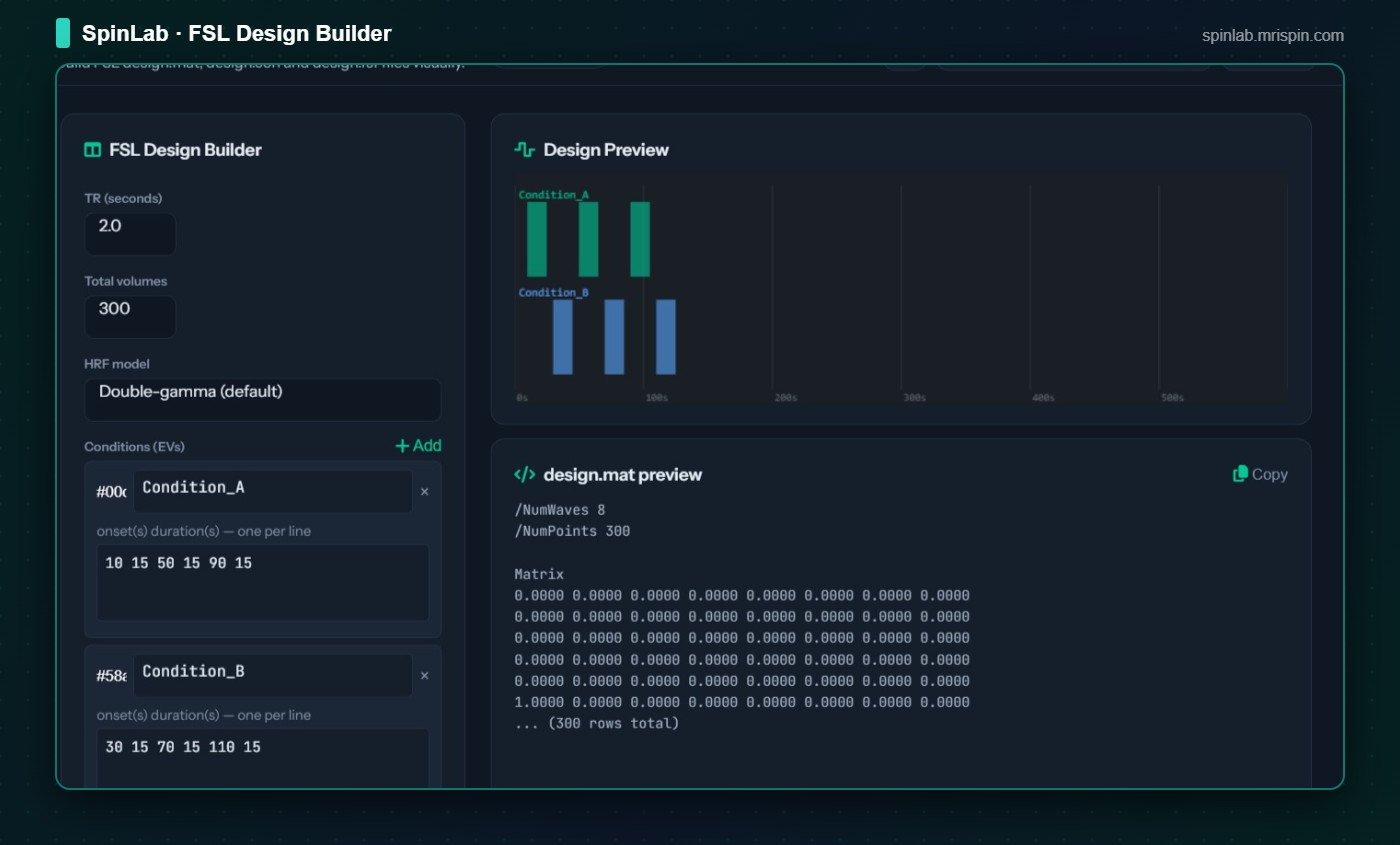
- Open spinlab.mrispin.com and choose FSL Design Builder.
- Enter the TR and the number of volumes.
- Add each condition with its onsets and durations.
- Choose the haemodynamic response function (for example, double-gamma).
- Add contrasts, and check the timeline preview to confirm the blocks fall where you expect.
- Copy or download the design files.
What FEAT does with the design
The timing files describe when stimuli happened. FEAT then convolves each one with the chosen haemodynamic response, so the regressor it fits rises and falls slowly instead of jumping between 0 and 1. The preview in the builder is best read as a check of timing; the final regressors are the convolved versions FEAT creates when it runs.
Running it from the command line
# Run a first-level analysis from a saved setup file
feat design.fsf

# Or fit a ready-made design matrix directly
film_gls --in=filtered_func_data.nii.gz --pd=design.mat --con=design.con --thr=1000
For group analysis, the same idea applies with one row per subject in design.mat: a column of 1s for the group mean, or one column per group for group comparisons.
Related: sample size for your study and building a full pipeline.
Last reviewed: 7 November 2026. SpinLab and SpinCalc are free tools developed by MRISpin. Screenshots show the tools as they were on this date and may change as the tools are updated. Generated scripts should be checked before use on real data.